Online Learning with IXL Math & Language Arts
This post, online learning using IXL Math and Language Arts, was made possible with the chance to review their IXL Math (pre-K through 12th grade) and IXL Language Arts (grades 2 to 8.)
Although I love to work alongside my boys at times as they learn new material, there are days when I am eternally grateful for the option to use online learning websites to ease the burden off of me.
IXL with both math and Language Arts is one site that I have really enjoyed having available to the boys.
It is not a “new to us” site, as we were fortunate to review IXL Math in the past.
However, they have seriously expanded their offerings which made it well worth another look.
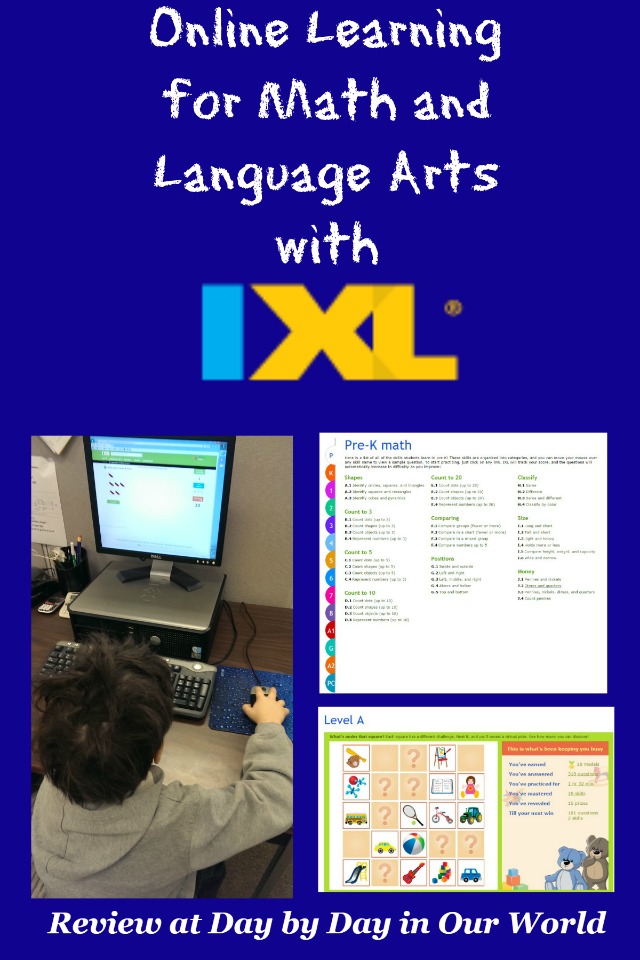
About IXL Math and IXL Language Arts for Online Learning
Now, I do want to start off sharing that IXL Math and IXL Language Arts are meant to be used as a supplement to whatever main curriculum you have selected for your homeschool. There are levels for both subject areas which then have all of the topics covered listed underneath them. From those lists, you can choose what your child needs to practice.
As a parent, you can elect to pay for access for either math or language arts on a monthly or yearly basis. If you want additional students, there is a small fee to upgrade.
This fee gives you access to ALL levels of the material.
With access to all of the levels, you can more easily move around and have your child practice what is needed and what they are ready to do.


There is a main login for the family, a ‘secret word’ for the parent to access their dashboard, and then a password for each child on the account.
IXL can be accessed on either a computer or via the IXL app for an iPad, Kindle, or Android tablet.
When logged in as a parent (with that secret word), you can look at what your child has accomplished in different formats. All of this is under the reports tab.
If you are interested in the time spent, you can look at the usage log.
If you want to see how much they have mastered in a given level, you can look at the report card under status update. For any of these reports, you select the child, the level (or even set it for all levels), the subject, and a date range.

Our Thoughts on IXL Math and IXL Language Arts for Online Learning
This is a program that my boys enjoyed in the past for doing that extra bit of practice.
J has thoroughly loved doing PreK math on the computer or iPad.
Given his age, I can’t just leave him to his own devices.
Rather, I’ll let him work with me nearby so I can answer questions as they arise.
However, that has not happened much as there is a nice feature to read the question and possible answers out loud for the younger student.

For the past few weeks, we’ve done IXL math on the iPad at home or on a computer at our charter school’s office while hanging out during the high school boys’ study group.
I love that you can have the kids working on this program anywhere that you have internet access and the hardware (computer or tablet) to do the work.
I think J prefers using the iPad as the menus are more graphic in nature.

He definitely likes getting the positive feedback when a section is completed as well as the ‘prizes’ you accrue.

Regardless of the platform, the basics are the same.
Pick your topic and answer the questions as they come.
If you select a wrong answer, you’ll get a message that not only shows you the correct response but also an explanation to help you see why.

I did not have my older son look at the language arts component.
However, after glancing through the different topics I am considering having him do a little refresher to hopefully help him with his writing course.
The material is supposed to be through 8th grade, but I can see it being good for a little remedial assistance (in his case, a reminder of what he’s supposedly learned yet seems to keep forgetting.)
Final Takeaway
Overall, I find this to be a nice resource to help a child get more practice in a fun environment.
While IXL is geared to be a supplement, I also can see it being a great option for a family who’s children love the computer for learning and the homeschool parent will fluff it out with other work to make it a complete program.
Do you have your homeschooled children use online learning options as a supplement to other instruction?
Don’t just take my word for how we found this to be. Visit the IXL post on the Schoolhouse Review Crew website to see what other homeschooling parents thought about this and other self-paced courses.

I think IXL is a great tool for teacher assigning worksheets to students as homework or extra work, which is helping students to improve their learning skill and absorb more knowledge from other resources. But I found the real-time diagnosis system is a little harsh to students thus causing extra pressure to the student. Well, I would suggest students to use Beestar, which provides friendly exercises and the problems are easier to handle by students. Maybe students can have both IXL and Beestar to master their foundation.
We’ve really enjoyed using Beestar too! IXL was useful to an extent but we found that our kids really felt stressed out about it and we didn’t want the kids to feel so overwhelmed. The kids seemed to like Beestar more so we definitely felt that it was more helpful for them. They also have a lot of different exercises and online competitions which is great for the kids!