Computer Science for Kids Made Easy with Digital Savvy

This post, Computer Science for Kids Made Easy with Digital Savvy, was made possible with access to the course from CompuScholar, Inc. for review as part of the Homeschool Review Crew.

I remember in high school when computer classes were new. You rarely saw someone with a computer at home. Instead, you got to dabble a bit on a “Trash-80” machine with your big floppy disc needed to boot up.
Fast forward many moons later, and technology has grown leaps and bounds. It IS a digital age, whether you like it or not.
Computer Science for Kids
Education relies more upon technology to deliver material and for students to present what they have learned.
This has served to increase the need for students gain knowledge and skills in computer science.
Many kids seem to have computer skills come super easily to them. With technology all around, it is no wonder that using electronic devices seems easy. Yet, there are basic skills they need to hone while in school.
About CompuScholar, Inc.
A few years ago, I did a couple of reviews for a company called Homeschool Programming. We reviewed KidCoder Visual Basic program and TeenCoder C# Series in book format with CDs included in the books.
Founded by Chris and Andrea Yust to develop courses to give students a great framework for computer science, the company has now been rebranded as CompuScholar, Inc.

The company’s mission is to serve both teachers and parents who want their students to have digital literacy and computer science skills. They want to have learning professional programming languages be fun for the students.
Instead of the print books and accompanying CD instruction, they now offer 7 different courses for homeschool families or individuals wanting to acquire these skills outside of school. Written for middle or high school students, the courses take either a semester or year to complete.
All courses are delivered online using any HTML5-compliant web browser and include free, comprehensive technical support. Students learn through reading the text files, watching associated instructional videos and completing assigned projects. Learning is assessed through online quizzes, tests, and projects graded with the included rubrics.
Parents can opt to pay by the month or purchase a year-long pass to the class. There is also the option to complete it as a self-study or be in a teacher-led class which offers additional support. For families purchasing a year-long pass to a course, there is the option to add additional students for the same class at a lower fee.
Find CompuScholar, Inc. on These Social Media Sites: Facebook & Twitter
Essential Skills through Digital Savvy
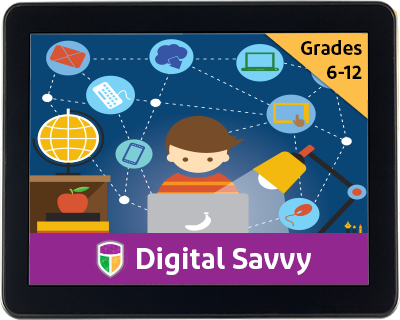
Many schools offer an “Information Technology” course. Digital Savvy is that course brought into your home.
In this course, students learn more about computer systems (the hardware) before moving into a study of common software programs for which they should have competency.
The class truly lays a wonderful framework for anyone needing to work with a computer in life. And, in this digital age, I think that means everyone.
Topics covered in the course are:
Fundamentals of Computer Hardware
Fundamentals of Computer Software
Operating Systems
Computer Files
Computer Maintenance and Troubleshooting
Computer Networks
Search Engines
Computer Security
Word Processing
Spreadsheet Programs
Presentation Programs
Database Technology
Project Management and Teamwork
Digital Images
Internet Communications
Social Media
Creating Web Pages
Web Page Design
Web Links, Images and Animation
Programming Concepts
Digital Logic
Careers and Professional Skills
Additionally, the students are required to complete a mid-term project and a final project.
The mid-term project has the students using what they’ve learned about digital documents, spreadsheets, presentations, and databases. And, the final project has the student using the lessons on how to edit digital images, work with Internet communications and social media platforms, create your own simple websites, and write computer programs using Scratch.
Guidance for the Educator / Homeschool Parent
The team at CompuScholar, Inc. has made it quite easy for students to take the classes they offer. They also have a great teacher section where you can find the grade book. If you have multiple students, you can see progress individually or as a group.

Even though most of it seems intuitive for the tech-oriented teacher, they offer the CompuScholar Professional Development section. Here they have a training section of videos grouped by courses. Digital Savvy needs less assistance, so I found just the Common Administrative Features group to be the only section I needed.

Our Thoughts on Digital Savvy
Overall, I absolutely love this online format for learning.
I’ll admit that my boys have a propensity to lose DVDs if I am not the ‘keeper’ of materials. Having it all online means no excuse for not doing work because the disc or book is ‘missing.’
The boys did comment that the first few chapters seemed like basic knowledge. I wasn’t surprised as they’ve been using computers and other technology for years now.
However, a good foundation is needed in learning.
So, I reminded them to be diligent in completing those first few chapters. Sometimes when you think something is ‘easy’ or you already know it, then you make mistakes.
Using the mixed approach of video and text to read before doing a quiz works well for my boys.
As a busy homeschool mom, I greatly appreciate that they auto-grade the quizzes and chapter tests. Plus, I can see what they answered and if an answer is wrong, I can see the correct answer.

I still need to grade the projects. However, they provide plenty of guidance for that as well.
Overall, the Digital Savvy class has been a good fit for our family. While we liked the original print materials, I love the online platform even more.
How do you integrate technology into your homeschool?
Are there particular areas that your kids are eager to learn?
Don’t just take my word for how we found this to be. Visit CompuScholar, Inc. Reviews on the Homeschool Review Crew website to see what other homeschooling parents thought about this book.